reads Canvas
Knows what's being asked
Instructions, rubric, due date and linked files come from the page you have open. Course materials are saved in your folder so the agent can read and search them.
Live at Cal Poly and UCLA · more schools soon
Canvasdoc reads your instructions, rubric and course materials, then helps produce the work: drafts, documents, code and study guides. With Computer Use enabled, it can work across browser tabs and native apps you approve.
Already at Cal Poly or UCLA? Install Canvasdoc now →
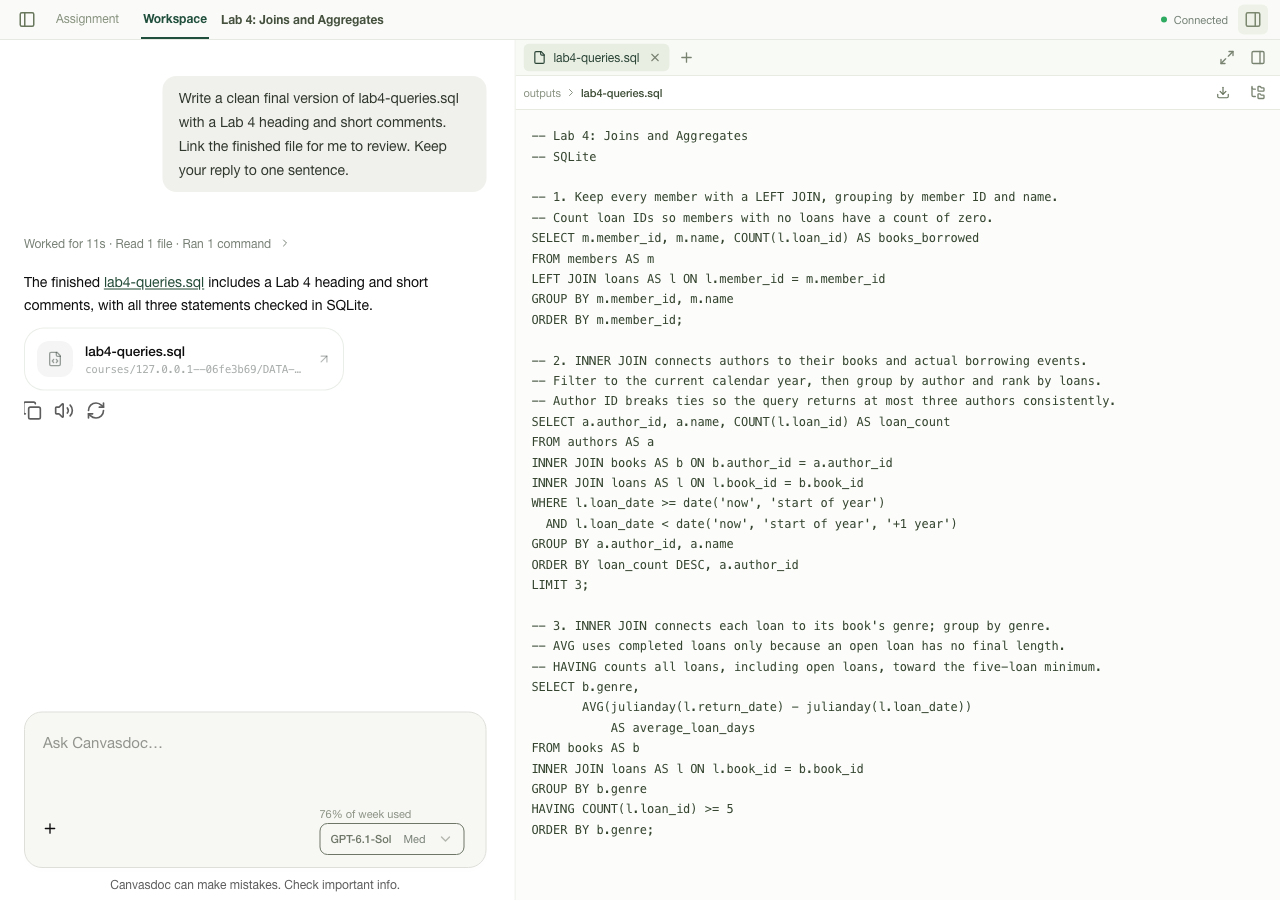
Across your computer
Start with the assignment in Canvas. Keep the same conversation as the agent works with a document, spreadsheet or coding project on your computer. With Computer Use enabled, it can also click, type and navigate in browser tabs and native apps you allow.
Compare course readings, build an outline, and revise your draft in Word or Google Docs.
Work through spreadsheet formulas in Excel, check a model's assumptions, and turn the results into a report or slide deck.
Work through a derivation, plot lab data, and assemble figures and calculations into a lab report.
Read the starter files and TODOs, edit your project, run tests, and investigate errors in your code editor.
Organize research across tabs, analyze a dataset, and bring tables and cited sources into your paper.
Gather visual references, compare them with the brief, and draft presentation slides and speaker notes.
Computer control requires the ChatGPT desktop app with Computer Use enabled and Chrome control set up for browser tasks. You approve access to each new app or website. What it can do depends on your installed apps and available access. See setup instructions →
§ 1 · How it works
Canvasdoc appears inside Canvas, beside each assignment, quiz and discussion, and on your dashboard.
It installs a small companion on your Mac or PC. The companion runs the agent through Codex, signed in with your own ChatGPT account.
Ask it to explain a problem, revise a document or work on your project. The conversation and files stay with the assignment.
§ 2 · What it does
reads Canvas
Instructions, rubric, due date and linked files come from the page you have open. Course materials are saved in your folder so the agent can read and search them.
documents
Make an outline, revise a draft, or build a blank worksheet that matches your example. Get an editable document or a PDF you can open.
practice
Build a study guide from lecture notes, work through a difficult problem, or practice one question at a time with feedback before the next.
files you keep
Documents, code, charts and interactive explanations are saved in your folder. Open supported files in the panel and keep editing them in your own apps.
code & projects
Follow the starter code and assignment requirements, make changes, and run checks with the tools on your computer. Ask for an explanation of what changed.
learns
Corrections and preferences carry over: how you like to write, what each class keeps asking for. You don't have to repeat yourself.
In the margin, up close


Beyond the margin · Workspace
Expand the assignment's conversation into Workspace. Read the course sources, preview a draft, or inspect a file the agent made. Keep asking for changes in the same conversation, with the files saved in your folder.
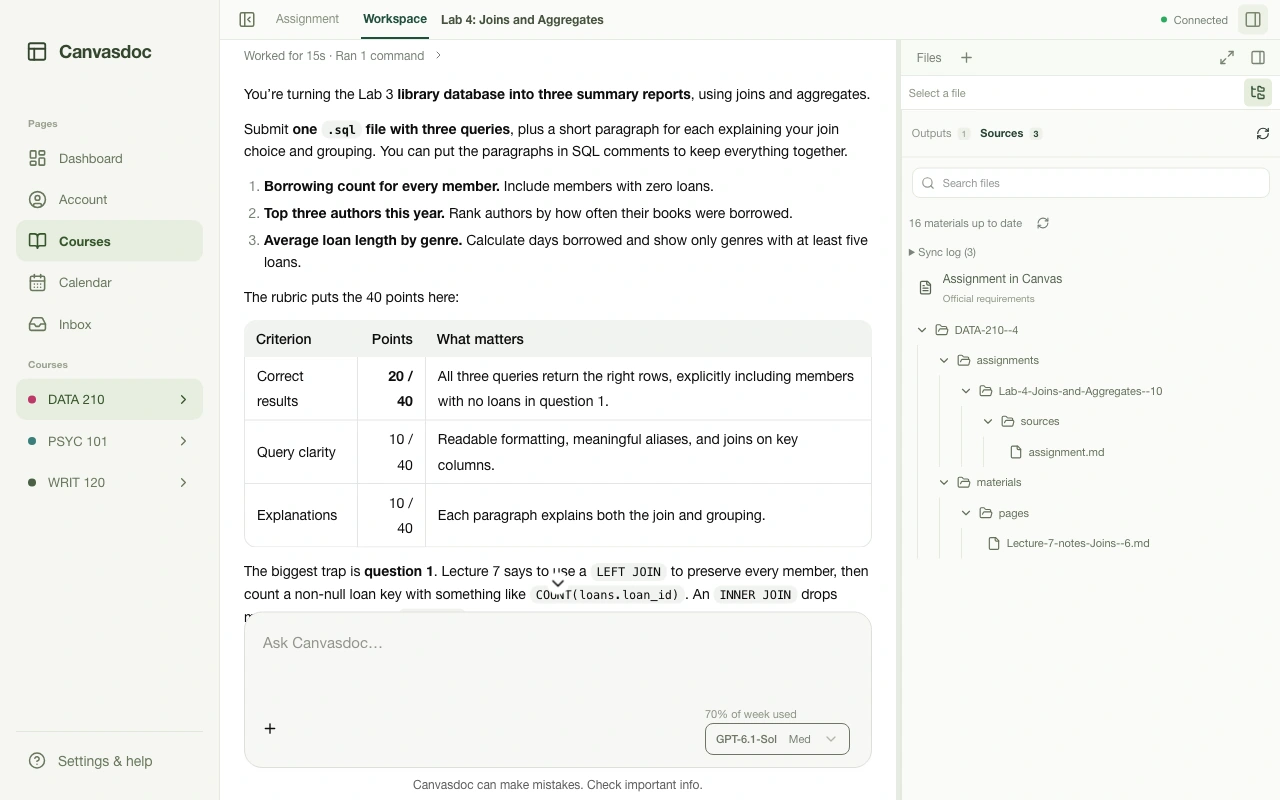
The lab conversation, expanded. The Sources inspector lists the assignment and the course files saved in your folder.
View full size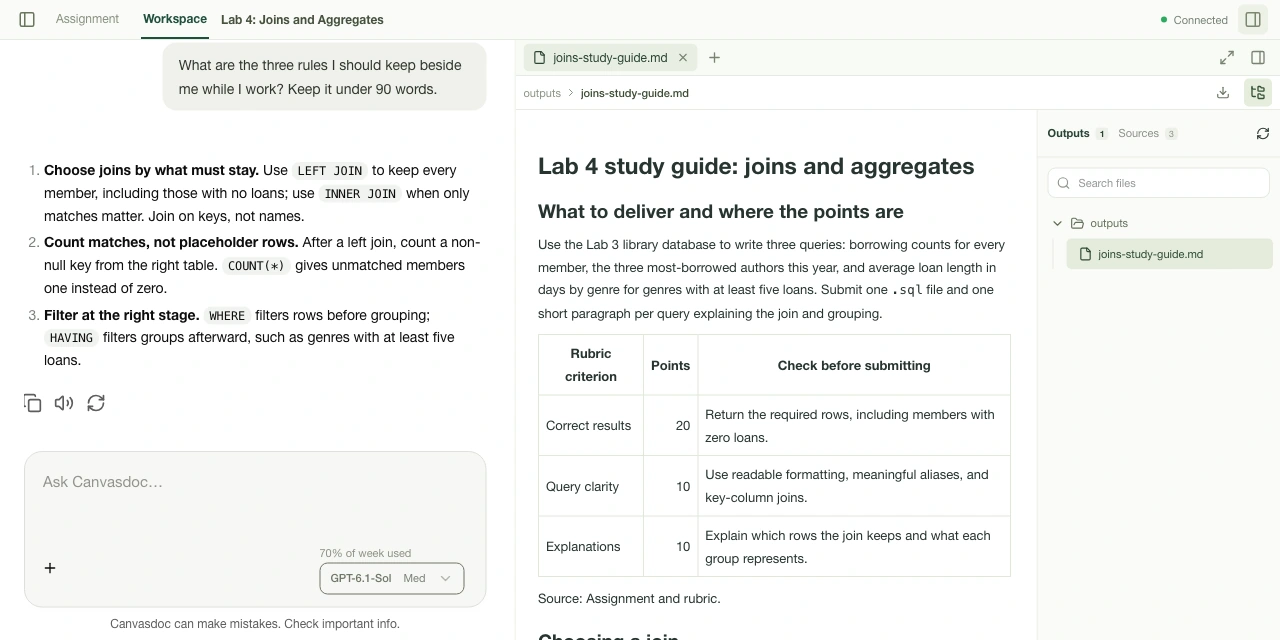
joins-study-guide.md, opened from Outputs. Read the guide beside the conversation, then find the same file in your local folder.
§ 3 · Your computer, your account
§ 4 · Schools
canvas.calpoly.edu
BruinLearn
Join the waitlist and tell us where you study. Requests help decide which schools open next.
§ 5 · Questions
A Mac or Windows computer, Google Chrome, and a ChatGPT account. The setup command installs everything else, including Codex.
The agent runs through Codex on your own ChatGPT account, so its usage counts toward your ChatGPT plan's limits.
Yes. It can draft and revise documents, edit code, run tools, make charts and explain problems using your course materials. You review the results and decide what to use. Follow your instructors' rules on AI assistance and disclosure. Canvasdoc never submits anything to Canvas unless you ask.
Yes, with Computer Use enabled in the ChatGPT desktop app. Set up its Chrome control for browser tasks, and the agent can work across tabs and native apps you approve, such as a document editor or spreadsheet. Available actions depend on your apps and permissions. See setup instructions.
Today it works at Cal Poly and UCLA. Each school's Canvas is enabled separately, so join the waitlist with your school's name and we'll email you when it opens there.